
AI Support for
Illustration Creation
copainter is an AI tool that assists in the creation of illustrations, manga, and anime.
By combining AI with creativity, it offers a richer creative experience.
Get started for free

Features of copainter
The AI tool copainter streamlines production processes such as inking, undercoating, coloring, backgrounds, and finishing. It supports the creative activities of all creators, from professional artists to hobbyists, and assists in the production of high-quality works.
No high-performance PC or complex software is required to use the tool. Its intuitive web interface allows even those unfamiliar with AI tools to use it easily. copainter is a next-generation production support tool that expands the possibilities for creators and facilitates effortless creation.
Secure by Design
Images uploaded to the service and images generated with it are never used to train our AI models. copainter always puts creators first, delivering an environment where you can create with confidence.
Why not utilize illustration generation AIin your production process?


Examples of Using Illustration AI in Each Process
Line Art/Inking AI: Explore Your Own Style While Refining Line Art


[Line Art Function] Image Fidelity: 0.6, Line Thickness: 0, Stroke Start/End: 0, Auto Prompt Detection from Image
With the line art/inking function, you can create beautiful line art from rough sketches. By adjusting fidelity, you can maintain your unique style while achieving refined expressions. Additionally, prompts can be utilized for detailed style adjustments.
Coloring AI: Color According to the Image of the Work from Undercoating


AI Creativity: 0.5, Detail Level: 0.5, Conversion Mode: Normal, Model: Brush Painting
Using the coloring function, natural coloring that aligns with the image of the work is possible from line art and undercoating. It supports various expressions such as brush painting, anime painting, and watercolor painting. Outputs are divided into layers, making post-processing editing easy. High-quality coloring can be efficiently achieved, even in professional production settings.
Image Transformation AI: For Reference Materials and Enhancing Works


[Top image] Original image[Left image] Original image
[Bottom image: Top] Model: faithful model, Prompt: blue hair, blue eyes, red hoodie, AI Creativity: 1, Image Fidelity: 0.7, Fixed seed[Right image: Top] Model: faithful model, Prompt: blue hair, blue eyes, red hoodie, AI Creativity: 1, Image Fidelity: 0.7, Fixed seed
[Bottom image: Bottom] Model: faithful model, Prompt: blue hair, blue eyes, red hoodie, Match input image, AI Creativity: 1, Image Fidelity: 0.7, Fixed seed[Right image: Bottom] Model: faithful model, Prompt: blue hair, blue eyes, red hoodie, Match input image, AI Creativity: 1, Image Fidelity: 0.7, Fixed seed
The image transformation function allows you to easily generate various illustration variations. You can expand your creative ideas by adjusting character expressions, poses, outfits, adding backgrounds, and more. By adjusting prompts and selecting transformation or creative models, it supports the creation of works in a wide range of styles.
Get started for free
Creating Background Images

Photo Background Transformation AI + Coloring AI
By using the photo background transformation function, you can easily create background materials suitable for illustrations or manga from landscape photos with AI. It allows you to maintain the composition and atmosphere of the photo while expressing backgrounds that match the style of your work. Additionally, applying the coloring function to the generated background achieves a cohesive finish.
Creating Materials from 3D Models

Inking AI + Coloring AI
You can generate illustrations from 3D models, efficiently creating designs for character accessories. By converting models created with 3D CG software like VRoid into 2D illustrations, it enhances the versatility of character design and aids in multifaceted considerations for work development. Furthermore, combining the generated illustrations with the coloring function can lead to a highly complete finish.
Enhancing Existing Works

Coloring AI
Coloring monochrome rough sketches, image sketches, or line art can save time. It is particularly effective when remastering past works or during the color expansion of digitization. Even works previously published in monochrome can be easily colorized for broader distribution.
Reducing Workload in Production Settings

Inking AI
The inking function significantly improves drawing production speed. AI enhances line art quality and reduces the workload of corrections, allowing more time to be allocated to main production and drawing instructions. Additionally, it effectively reduces human inconsistencies in drawing uniformity.
Enterprise Plan
For corporate clients, we offer an Enterprise plan that includes custom AI models capable of producing your preferred art styles or characters.
Get started for free
Introduction to Our AI Illustration Features
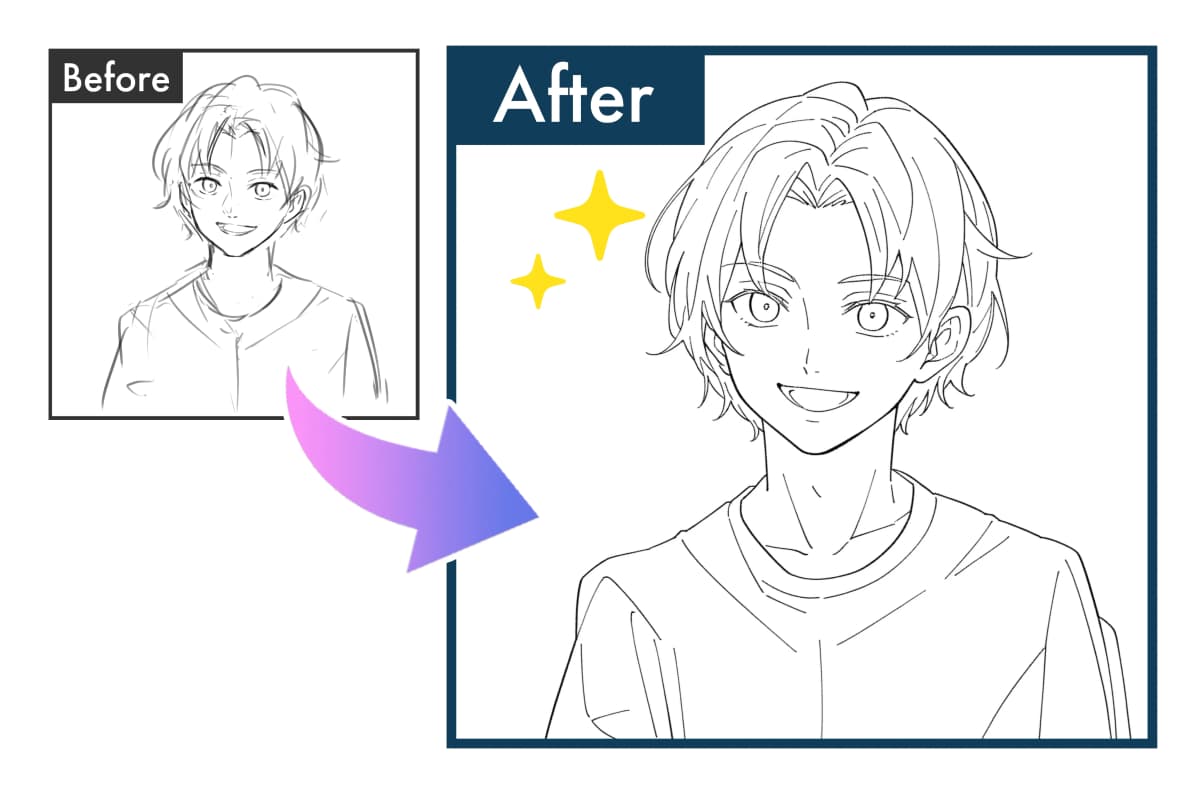
Lineart & Inking AI
This AI transforms rough sketches into clean lineart. Compared to standard inking tools, the lines are smoother and more natural. It can also automatically adjust line thickness and opacity to match the artist’s style. Ideal for streamlining the inking process, helping you move faster and more efficiently to the next stage. Supports a wide variety of styles, from casual submissions to professional customization. Suitable for both professional illustration and hobby sketches.
Learn more about 'Lineart' →Learn more about 'Inking' →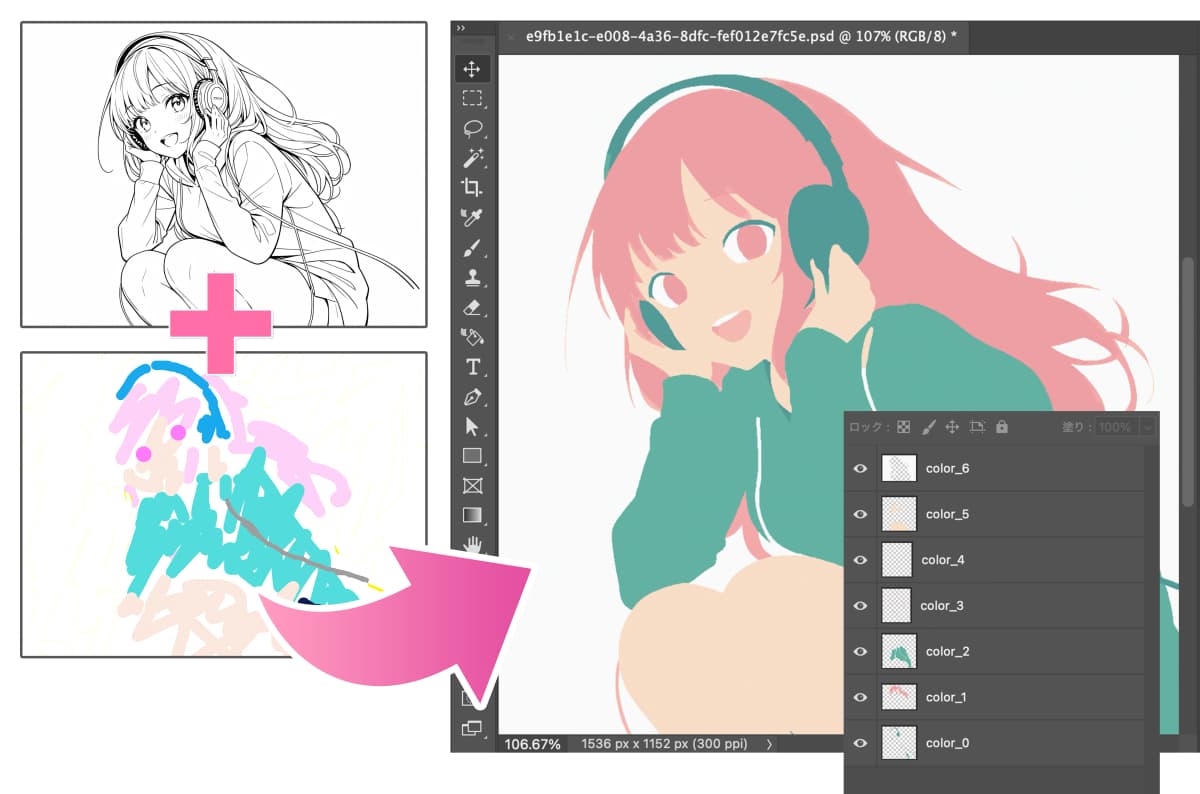
Undercoloring AI
Generates beautiful base colors from line art and rough coloring. The output is a PSD file with separate layers for each color, making it easy to make adjustments or add details. This significantly reduces the time needed for base coloring and efficiently supports your creative workflow.
Learn more →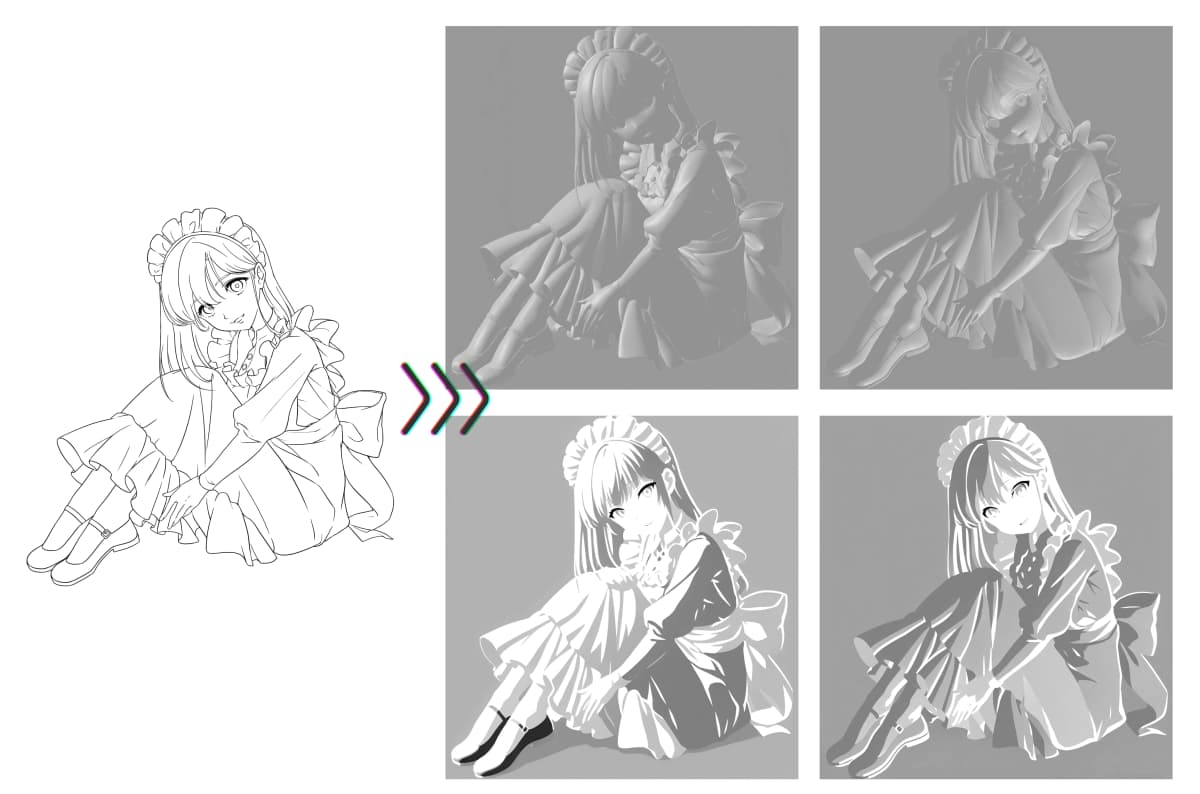
Shadowing AI
Automatically generates shadows with ease. You can adjust the light source in real-time to modify the shadow direction and appearance. Multiple light sources are supported, enabling a variety of lighting environments and creative shadow expressions.
Learn more →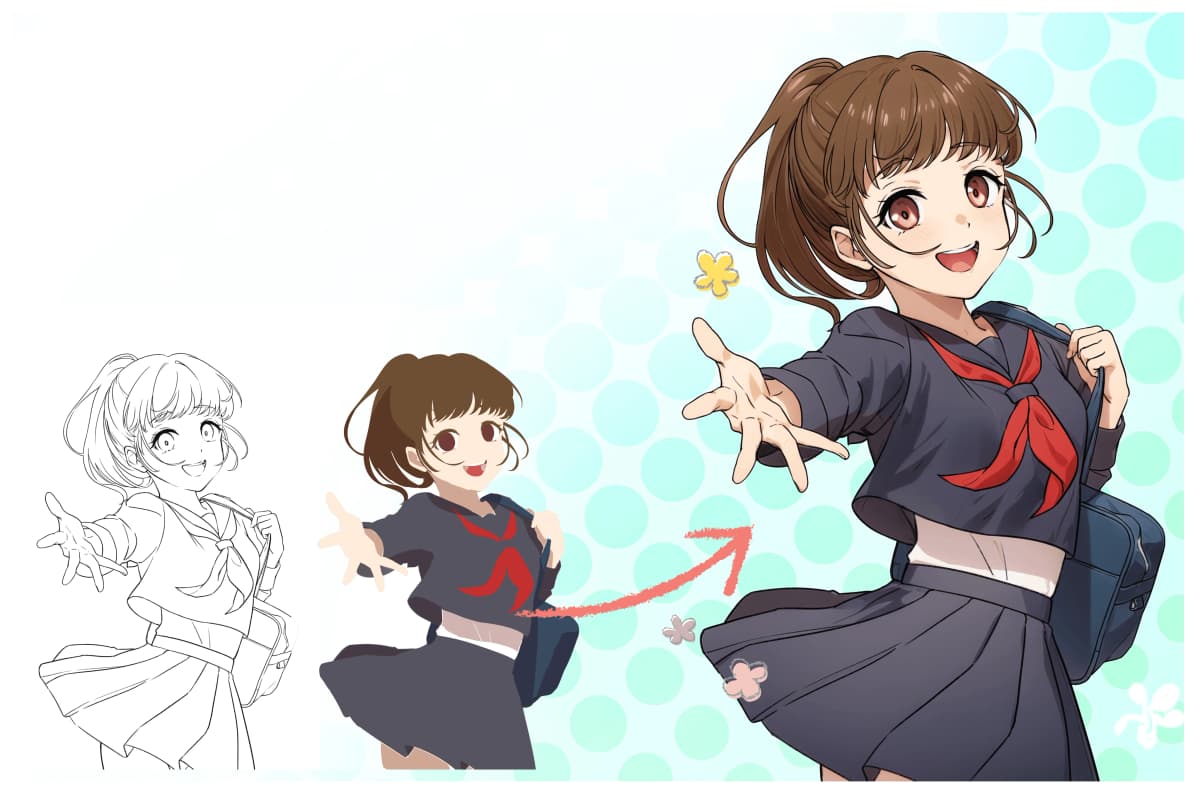
Coloring AI
Once undercoloring is complete, the AI performs detailed coloring. Supports various styles such as flat, anime-style, and watercolor. PSD format output allows editing and adjustments per layer, greatly reducing production time and enabling more focus on enhancing quality.
Learn more →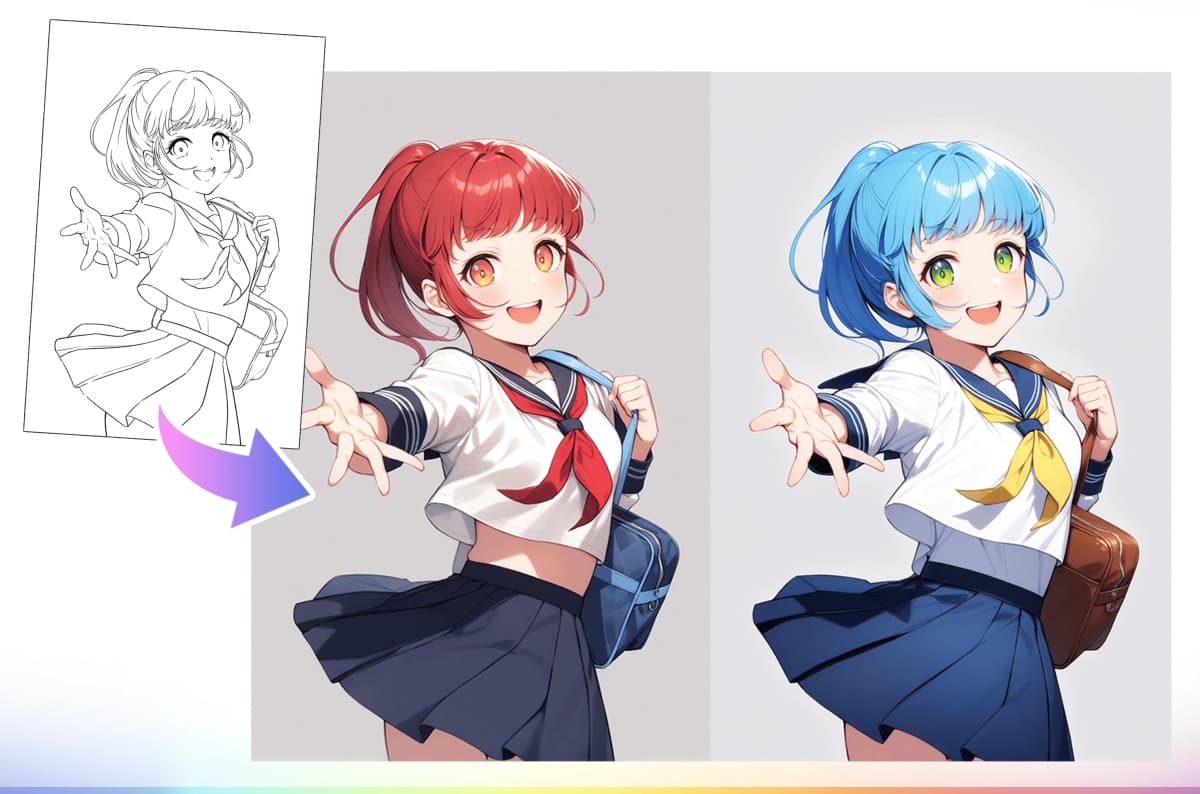
Image-to-Image AI
This AI transforms simple images into various illustration styles with text prompts. It can convert to anime-style, realistic-style, or photographic styles, and can also add backgrounds or change character expressions. Useful both in the production process and for enhancing completed works.
Learn more →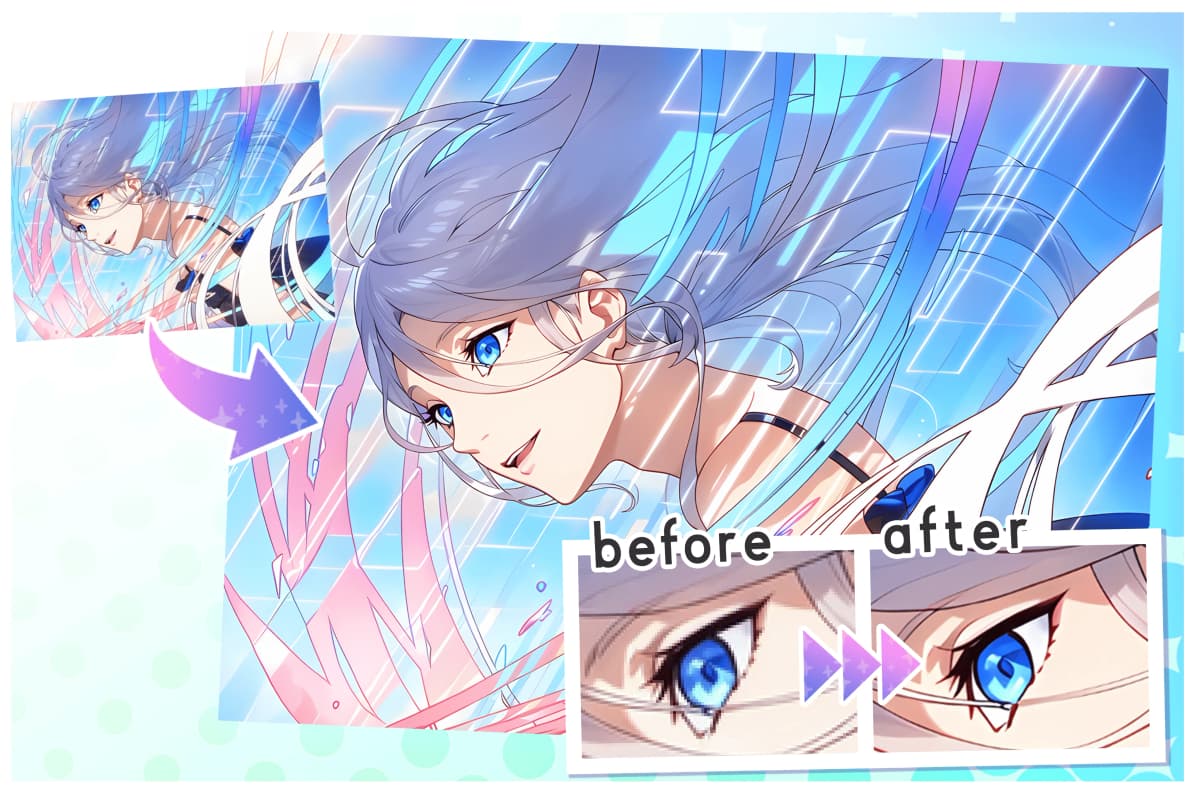
Upscaling AI
Easily enhance the resolution of your illustrations with AI. Supports horizontal/vertical magnification (e.g. 4x, 16x) and speed adjustment for flexible output. Uses illustration-optimized models to upscale without losing line sharpness or color detail. Ideal for use in SNS, posters, and animation production.
Learn more →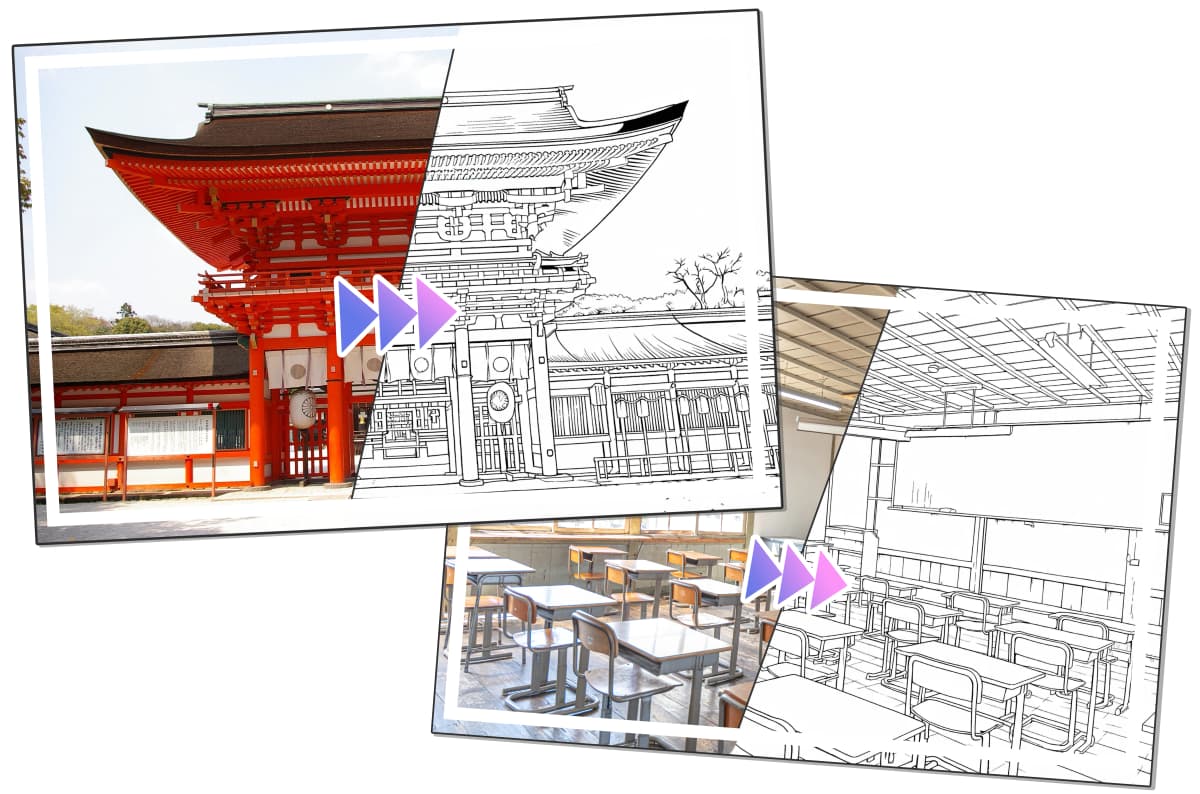
Photo Background Conversion AI
This AI recognizes and replaces backgrounds in photos automatically. It retains the subject's characteristics while harmonizing the new background, enabling effective and natural background transformations.
Learn more →Get started for free

PLAN

Please choose the plan that suits your usage style
* Plan for individual users and small businesses (annual sales of less than 10 million yen in the most recent year)
Free
For those who want to try it first
10 tickets upon first registration
Present!
- 3 tickets provided monthly
- Basic features included
- Cannot purchase additional tickets
Light
Perfect for light use
- 50 tickets provided monthly
- Basic features included
- Can purchase additional tickets
First 14 Days Free Trial
Basic
For regular users
- 300 tickets provided monthly
- Basic features included
- Can purchase additional tickets
First 14 Days Free Trial
Pro
For unlimited usage
- Unlimited usage*Some features like AI assistant consume tickets
- Basic features included
- Can purchase additional tickets
First 14 Days Free Trial
Plan Feature Comparison
| Feature | Free | Light | Basic | Pro |
|---|---|---|---|---|
| Ticket Allocation | 3 tickets/month | 50 tickets/month | 300 tickets/month | 300/month |
| Basic Feature Usage * | Uses Tickets | Uses Tickets | Uses Tickets | 🎖️Unlimited! |
| Additional Ticket Purchase | ||||
| Users (Number of users available per account) | 1 user | 1 user | 1 user | 1 user |
| Target Business Users | Individuals * | Individuals * | Individuals * | Individuals * |
※Ticket validity period is 60 days for all plans.
※Free trial bonus tickets for annual plans cannot be used after the trial ends if cancelled during the trial period.
※Tickets are provided monthly on the same day as your plan registration date for all plans.
※The "Free" plan can be used free of charge every month.
※Paid plans automatically renew unless you stop the automatic renewal.
※Paid plans can be cancelled at any time. If cancelled before the renewal date, the next charge will not occur.
※If you cancel a paid plan, you cannot re-register for the same plan until its expiration date.
※Tickets can still be used after changing or cancelling a plan, as long as they are within their validity period.
※You can upgrade, downgrade, or cancel at any time during the month.
※All prices shown include tax.
※AI Assistant feature usage consumes tickets on all plans.
※The free trial for annual plans is available once per person.
Operating Company

Since its founding in 2015, Radius5 Inc. has been a pioneer in the creative AI field. From around 2018, we began developing AI support tools for creators and have been offering 'copainter,' a tool specializing in illustration and manga production.
Company Name:Radius5 Inc.
Representative:Daisuke Urushihara
Capital:10 million yen
Established:September 2015
Location:1-29-1 Takadanobaba, Shinjuku-ku, Tokyo
Business Description:Providing web services related to creative activities